
Turn your design into an experience that sells
The easiest way to convert your 3D models into immersive virtual spaces that customers love.

Used daily by 200+ top companies over the world




.png)






Step 1: Design as usual with your favorite CAD

Archicad

Sketchup

Revit

Vertex BD

Chief Architect

Live Home 3D
Step 2: Turn into an experience that sells with visiofy
Export
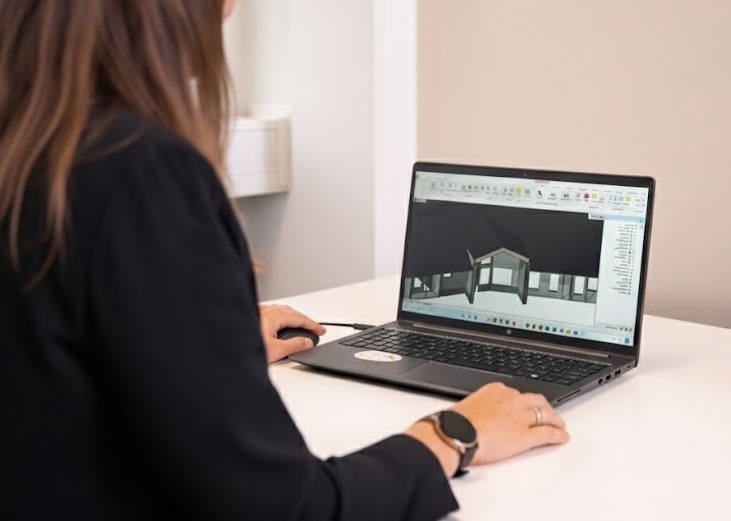
Once you've designed your model, export it in one of the supported formats.
Upload
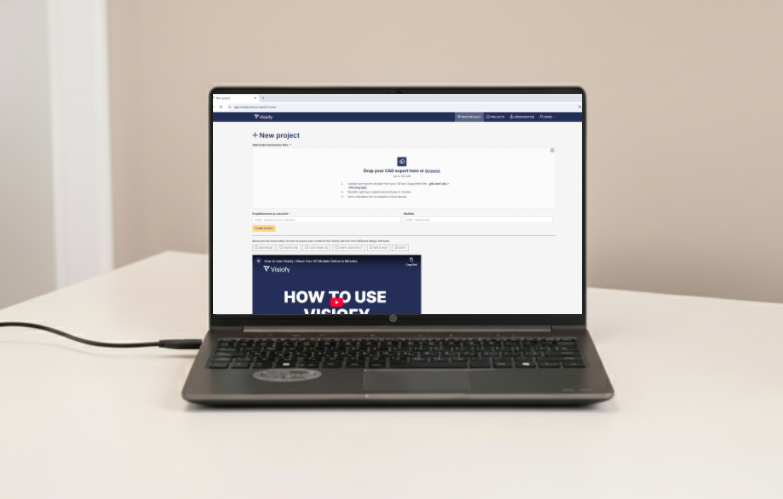
Upload the file to Visiofy to instantly get a link to your realistic virtual experience.
Share & Impress
Copy the generated link and share it with clients to create an impactful experience.

Why Visiofy
1 M +
virtual spaces viewed
helping buyers understand layout, scale, and daylight before building.
30 k +
projects showcased
converted from architects’ CAD designs into virtual experiences.
4.8 / 5
client review score
means proven impact across architects and builder teams.
9.2/10
score from viewers
reflecting exceptional satisfaction across future home-owners.
Features

Easy sharing
Copy and share the browser-accessible link easily across devices.

Fast processing
Convert your existing 3D model into a walkable virtual space with just two extra minutes to your workflow.

VR mode
Use with any modern VR glasses to make your clients walk in a digital version of their future home – from eye level and in real scale.
AI rendering
Make photorealistic visualizations from architectural models in seconds with AI-powered rendering – directly inside Visiofy.
Solutions

For architects
Explore your designs in 1:1 and present them in an engaging way

For construction companies
Showcase your catalogue and improve sales conversion

Pricing

FAQ
Visiofy is a service that transforms an architect's 3D model into a realistic virtual model, viewable in a browser or with VR glasses.
Upload your 3D model to the Visiofy, and you'll receive a link to the virtual model within seconds, which you can share with clients and partners.
Visiofy supports the following software: Graphisoft Archicad, Chief Architect, Live Home 3D, Revit, Sketchup, and Vertex BD.
Yes, you can! You can try out the service without signing up at visiofy.com/create. We'll need your email to send you the link to your virtual space, but no account will be created at our end. Try it out to see if it fits your workflow.
Yes, Visiofy's virtual spaces run smoothly on both phones and computers, directly in the browser.
Yes, Visiofy works with modern standalone VR headsets — no computer needed.
Yes, you can save PDF files with the virtual space, making all important documents easily accessible.
Once your design is uploaded and processed, Visiofy will generate a link that can be shared via email, WhatsApp, or any other messaging tool. You can test it here.
No, Visiofy works directly in the web browser without any additional software. For Revit, you will need an add-on.
Yes, Visiofy has free tier and a two-week free trial for the full version. There is also a demo version you can access at marketing.visiofy.com/create. You don't need to sign up to try it out.
Visiofy improves client communication, enhances project visualization, and makes it easy to understand different spaces and shapes. Architects also say it boosts customer satisfaction.
Yes, you can access video tutorials inside our app or at https://www.youtube.com/@visiofy.official
No you don't, Visiofy works on any desktop or mobile browser.
Technically, no — Visiofy isn’t designed for recording videos, but for exploring your architectural models as immersive, walkable virtual spaces, much like in a computer game. You can record your activity on Visiofy with your device’s screen recorder if needed.
Yes! With our Pro and Enterprise plans, you can use your own company logo and present your projects without Visiofy branding, so the experience stays fully on-brand for your clients.